

.gif)
Notewise 3.4: Your Notes, Your Way Notewise 3.4 delivers on our community's most-requested features, including a library of 100+ stickers, horizontal scrolling, and a two-page notebook layout. With seamless shape editing and smarter audio playback, this update is designed to remove friction and let you focus entirely on your ideas. Now available on both App Store and Google Play Store.
The best tools are the ones you forget you’re using. They don’t force you to change how you think; they simply catch your ideas as they happen. At Notewise, we’re obsessed with that invisible synergy- building a workspace that’s so intuitive, it feels like it’s anticipating your next move.
Release 3.4 is a tribute to your feedback. We’ve polished the friction points and added the highly-requested flexibility you need to stay organized without the effort. Whether it's the freedom of a new scrolling direction or the creative spark of our first sticker collections, this update ensures that while you focus on the work, Notewise handles the flow.
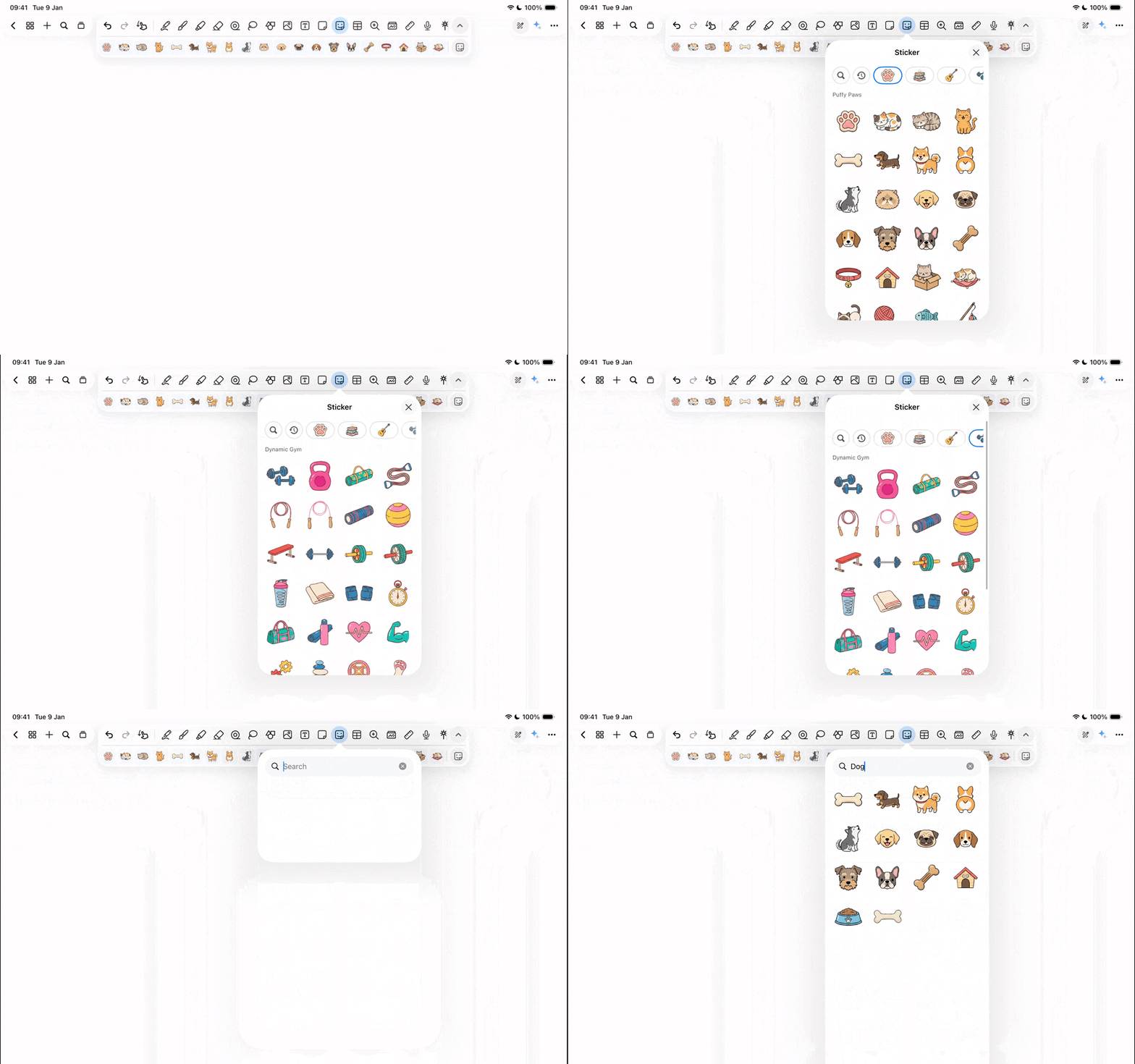
Digital note-taking shouldn't just be functional, it should be fun. Whether you’re referencing notes or decorating a personal journal, our new Stickers collection gives you a whole new toolkit for expression.
In Real Life: Bring your digital journal to life by adding a touch of celebration with the Festival Spirit pack to mark holidays and special events. Or, use the Everyday Widget stack to turn a blank page into a professional-looking planner, making your daily to-dos feel less like chores and more like a creative project.
How to use: Open the new Sticker tool from your toolbar. Browse amongst 100+ stickers, tap your favorite, and place it anywhere on your canvas. You can resize, rotate, crop and even add borders to them just like any other image in Notewise. Using the search and recent button, you can navigate to your favourite stickers in seconds.
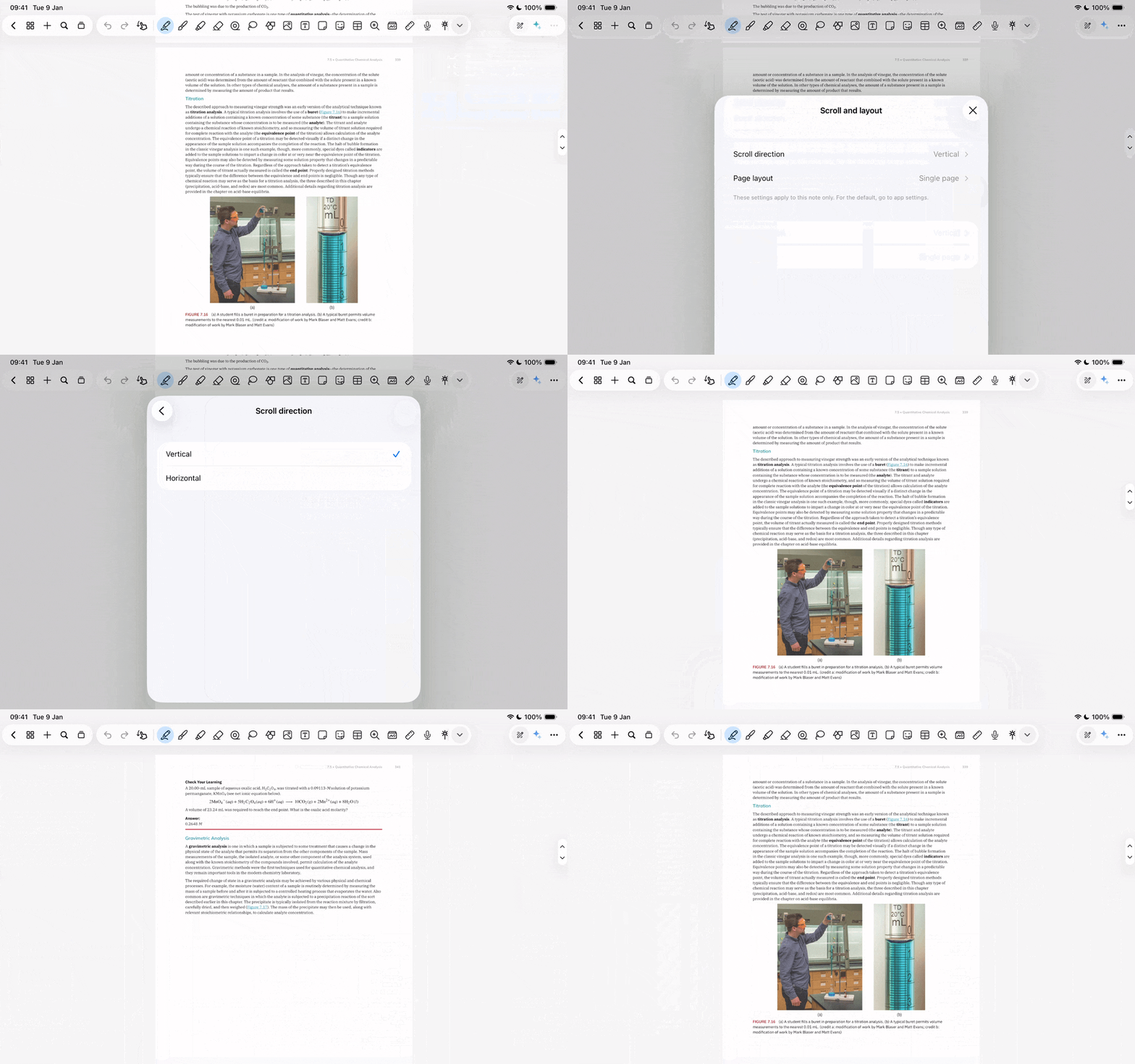
For many of us, the traditional "vertical scroll" isn't always the best way to digest information, especially when reading textbooks or slide decks. Notewise 3.4 introduces Horizontal Scroll and a Two-Page Layout.
In Real Life: Imagine studying a landscape-oriented PDF textbook. Switch to Two-Page view and Horizontal Scroll to turn your tablet into a digital book, making it easier to reference a diagram on the left while taking notes on the right.
How to use: Go to your Note Settings (three dots in the top right corner), tap "scroll and layout" and toggle between horizontal or vertical scroll. To see more at once, select the Two-Page Layout- perfect for split-screen multitasking on larger tablets.
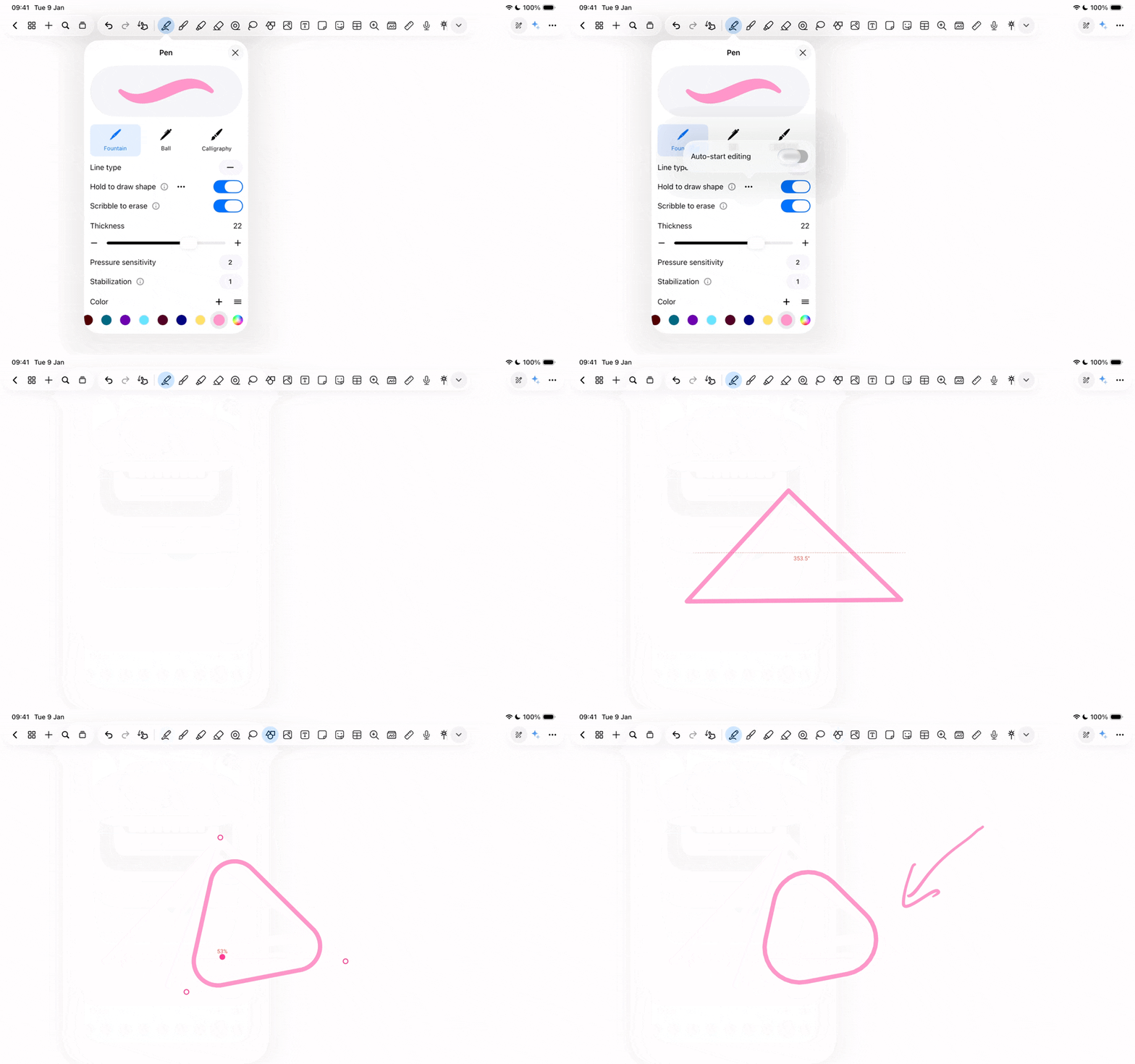
We know that "Hold-to-Draw" is a staple for creating clean diagrams. But usually, once the shape is created, you have to switch tools to personalise it to perfection. Not anymore.
In Real Life: When you're sketching a flowchart during a fast-paced meeting, you can now draw a rectangle, hold it to snap into place, and immediately drag the corners to fit your text - all without ever lifting your stylus or changing tools.
How to use: Head into hold to draw settings, click on the three dots and select "Auto-start editing". After that just draw and hold. Once the "Perfect Shape" appears, you’ll see edit points immediately. Grab and move them to fine-tune your shape and even customise corner radius on the fly.
Small friction points add up. That’s why we’ve added Faster Page Navigation and more control over Audio Playback.
Quick Navigation: Use the new single-tap button on the bottom left of your screen to flip through pages effortlessly.
Audio Flow: In your audio settings, you can now decide if recordings should play sequentially or not. This is a game-changer for reviewing segmented lecture clips back-to-back.
Our team is constantly "wearing our thinking caps" to solve the logic behind your notes, so you don't have to. You should only have to focus on the content of your ideas; the systems and processes—like how a page turns or how a shape snaps—should flow seamlessly in the background.
Notewise 3.4 is another step toward that invisible, effortless experience.
What’s your favorite new feature in 3.4? Tag us on social or join the conversation on our Discord and Reddit Channels!
ZIIKR Pte. Ltd.
#01-08
2 Science Park Drive
Singapore 118222